
Check the counter for freeTest before you buy
Unlock your printer instead of replacing it
Epson printer locked? Keep printing with a WIC Reset Key.
Check the waste-ink counter for free first. If it has reached 100%, the reset key is delivered by email after confirmed payment. Add a maintenance box only when the physical waste-ink container also needs service.
Secure payment with PayPal & cardImmediate email for the keyPersonal help before ordering
Digital licence · delivered by email
WIC Reset Key7,99 €after confirmed payment
Receive the reset keyDigital delivery by email
Add maintenance parts if neededOnly when physically required
The reset comes first
What the maintenance warning really means
Your Epson printer counts the ink collected during print-head cleaning. At 100%, it stops printing as a safety measure. Check the counter first, unlock it with the WIC Reset Key and service the physical waste-ink container only if necessary.
Check the counter for free →WIC Reset Key
Resets the internal counter and unlocks your printer.
Buy the reset key →Maintenance boxes & pads
Physical replacement parts for a full waste-ink container.
Find accessories →Digital immediate help · main product
Unlock your printer in just a few minutes.
The reset key activates the reset function in the free WIC Reset Utility.
- Delivered after confirmed payment
- No shipping charge for the digital key
- Step-by-step guide included
7,99 €Buy reset key →
Accessories after the reset
Maintenance boxes and waste ink pads
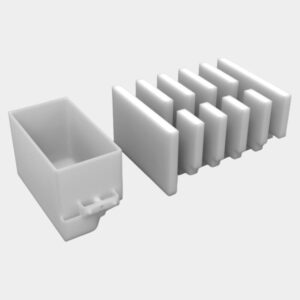
Physical product
Maintenance box - compatible with Epson Expression / XP-series
Compatible replacement part for the listed Epson printer models.
In stock
10,99 €VAT-exempt under § 19 German VAT Act
View product
Physical product
Maintenance box - compatible with Epson T- / R- / L-series
Compatible replacement part for the listed Epson printer models.
In stock
10,99 €VAT-exempt under § 19 German VAT Act
View product
Physical product
Waste ink pads - compatible with Epson T- / R- / L-series
Compatible replacement part for the listed Epson printer models.
In stock
7,99 €VAT-exempt under § 19 German VAT Act
View productCustomer experiences
19 reviews. 5 out of 5 stars.
★★★★★“The tool and the instructions worked without any problems.”
Felix
★★★★★“Very simple and fast.”
Marta
★★★★★“Fast delivery and excellent functionality.”
Verified buyer
Detailed guidance
From the warning to a completed reset
Still unsure?